Find and replace multiple property values using dataflow

Finding and replacing property values with Dataflow requires a couple of steps. First, we need to find the objects we want to modify. This can be done using the Add or Modify Group step.
For example, we can create a query that matches specific property values and use it to group the objects that meet the criteria. Once we have a group of objects, we can use that group as the target for the next step.
The next step is to create temporary properties and assign the values we want to use for the target group of objects. For this, we can use the appropriate step depending on the type of property value we want to replace:
After creating the temporary properties, we can check that they have been populated correctly by looking at the object properties of the objects in our target group.
If everything looks correct, the next step is to replace the existing property values with the temporary values we have created. To do this, we can use the Copy Property Values step.
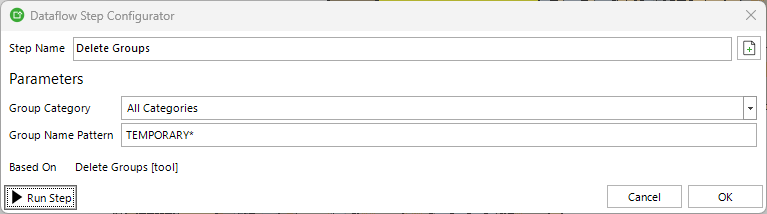
Once the existing values have been replaced, we can remove the temporary properties and target groups if they are no longer needed. To remove the temporary properties, we can use the Include/Exclude Properties step. To remove the groups, we can use the Delete Groups step.
Deleting a group does not delete the objects that belong to it. It only removes the group itself.
Simple example
I need to replace the Name property value of my Wall objects based on their existing name.
-
I will create two groups using simple queries based on the Name property values of the Wall objects. The first group will contain objects whose existing Name property value starts with “ex”, while the second group will contain objects whose name starts with “in”.
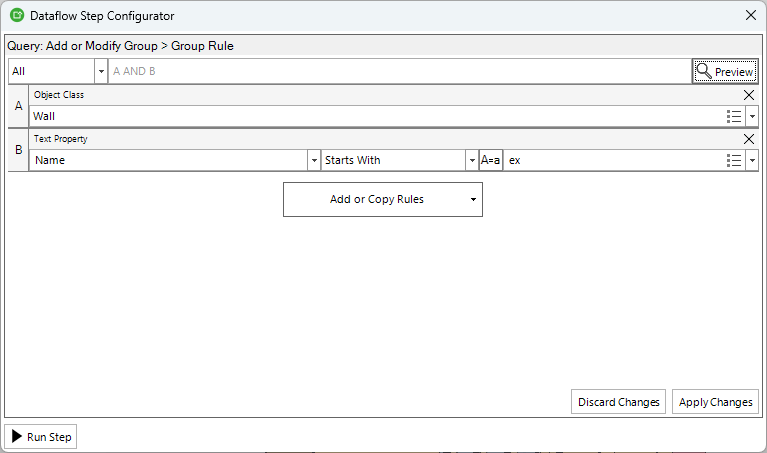
I will name these groups “TEMPORARY External Walls” and “TEMPORARY Internal Walls”.
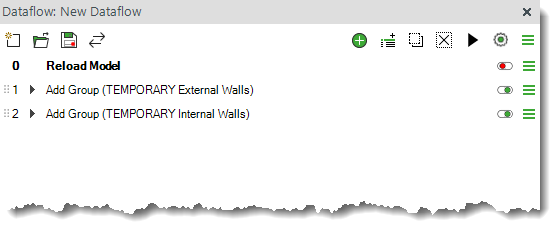
-
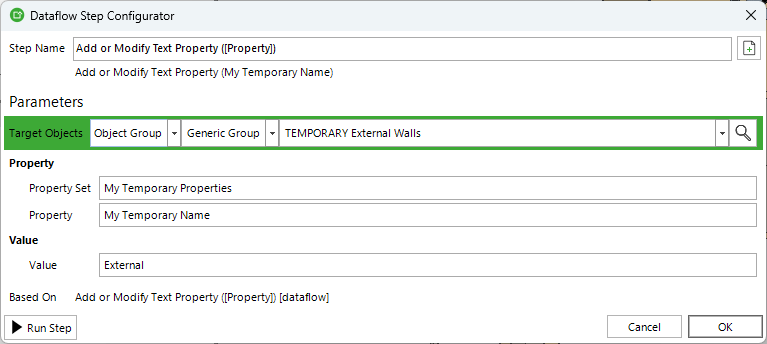
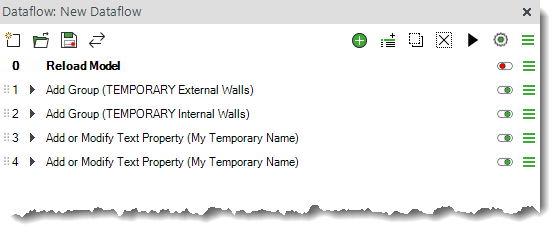
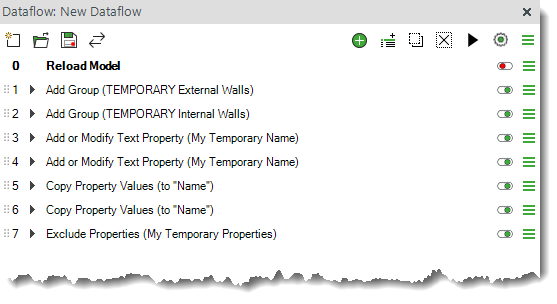
Now that we have our target groups, we can use them to set up the temporary property values for the objects. The property I will create is “My Temporary Name”, under the “My Temporary Properties” property set. I will set its value to “External” for the objects in the External Walls group and “Internal” for the objects in the Internal Walls group.
-
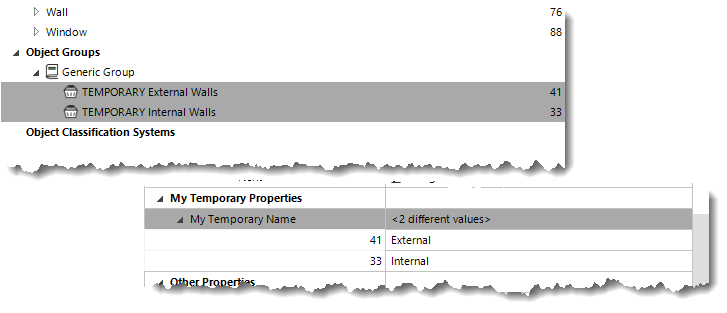
After these steps, I can check that the temporary values have been populated correctly before moving on to the next step.
-
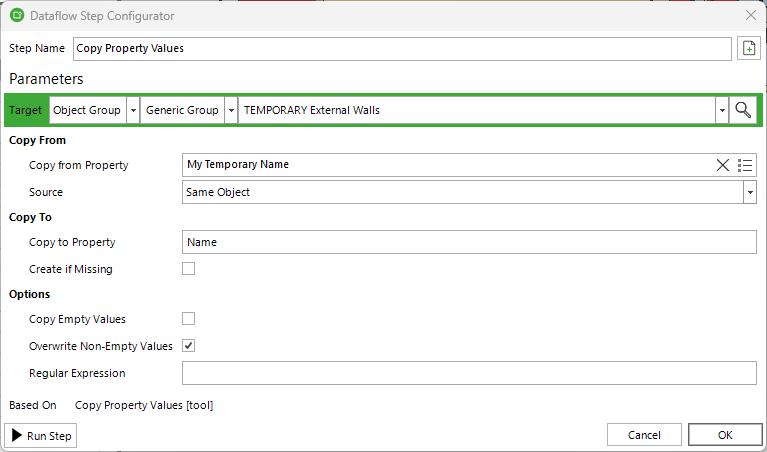
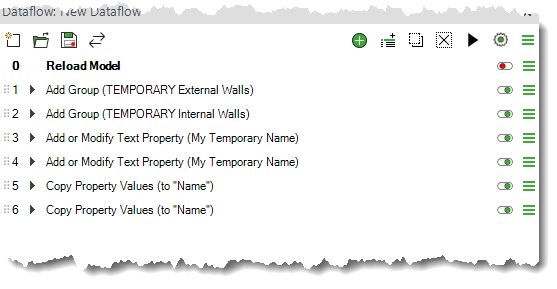
Next, I will copy the temporary property values to the actual Name property. I will use the “Overwrite Non-Empty Values” option because I want to replace the existing values with the values from the temporary property.
-
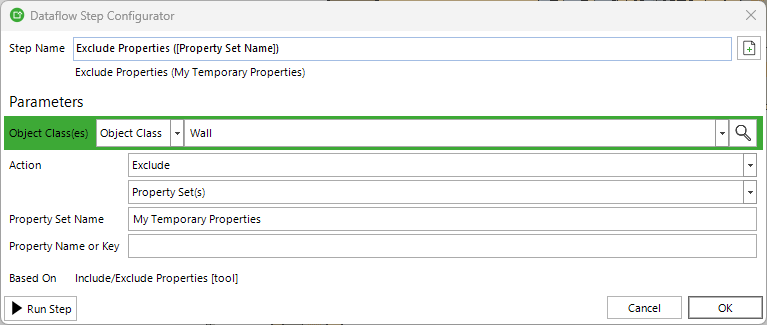
Once the values have been replaced, we can clean up the temporary properties and groups. First, I will exclude the “My Temporary Properties” property set from all Wall objects.
-
Finally, I will delete the temporary groups that I created.
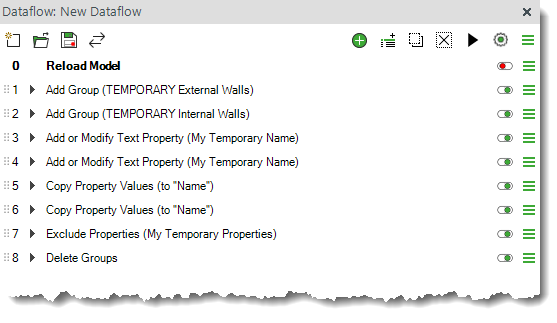
And that's done, you can download the sample dataflow from here.
Comments
0 comments
Please sign in to leave a comment.