Renaming or editing the names of containers like Site, Building, or Building Storey

Renaming or editing container names is very easy with Simplebim. The name of a container can be edited just like any other text property. There are a couple of ways to do this.
Editing the Name property value manually from the Properties palette
-
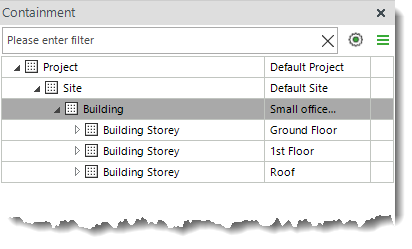
Select the container from the Containment palette. In this example, I'm using Building.
-
Take a look at the Properties palette. You will see the properties and their values for the selected Building.
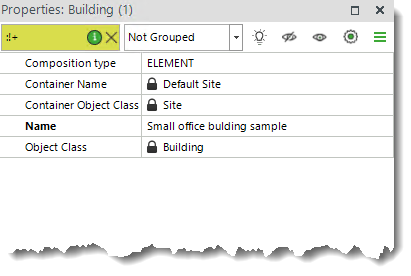
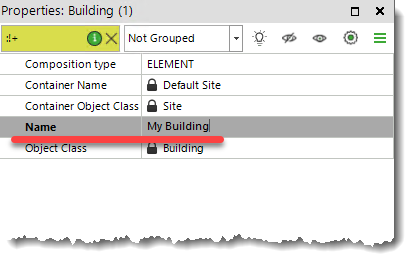
To edit or change the name of the Building, simply double-click the property value and type in the new value, just like you would with any other property value that is not locked.
Setting the Name property value automatically using Dataflow steps
With the current version, it is not possible to modify direct properties directly using the "Add or Modify Text Property" Dataflow step. However, there is a workaround. For this, you will need to use two Dataflow steps.
-
First, add a temporary property that you can later exclude from the model if needed. I will use the "Add or Modify Text Property" Dataflow step for this.
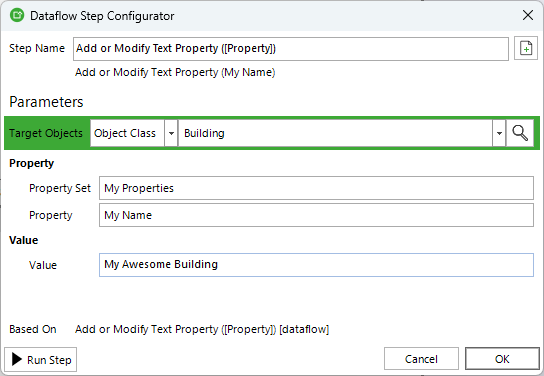
This step will add a "My Properties" property set with a "My Name" property and a property value.
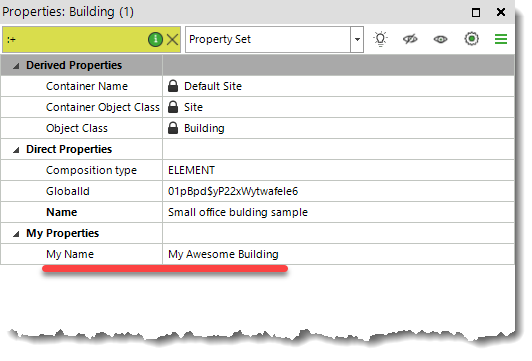
-
Next, copy the property value from the temporary property to the Name property.
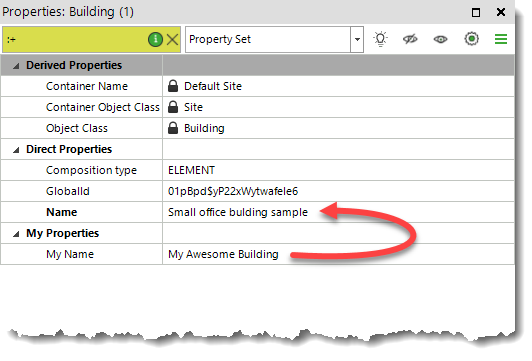
To copy the property value, use the "Copy Property Values" Dataflow step.
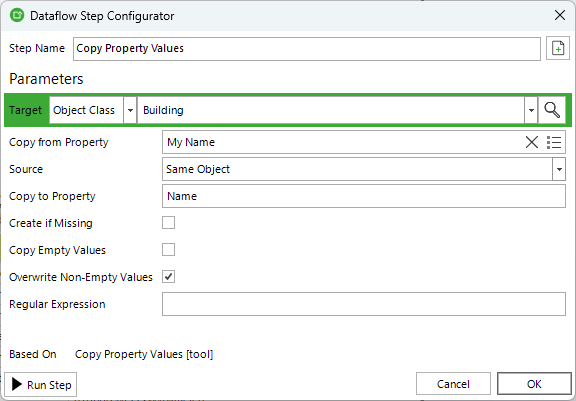
Notice that I use the "Overwrite Non-Empty Values" option because the original Name property value is not empty.
-
This is what the Dataflow for setting the Building Name looks like.
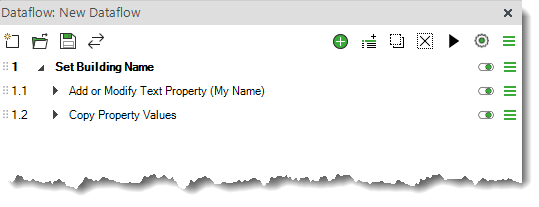
These are the ways you can use to edit the names of any containers, not just Project, Site, Building, and Building Storey.
Comments
0 comments
Please sign in to leave a comment.