Using rule-based groups to validate property values Featured

Groups can be used for many purposes, and one of them is property value validation. Here is a mini tutorial about the subject. To follow along, you can use our "Small Office (Architectural)" IFC model that is included in the installation.
In this model, we have Wall objects, and the Wall objects have a 'Name' property with values. Let's say that we want to validate the property values of that property.
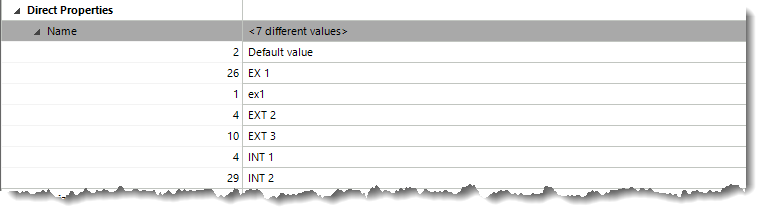
I would like to validate that the 'Name' property value starts with EXT or INT. The grouping rule for this is really simple, so let's set that up.
-
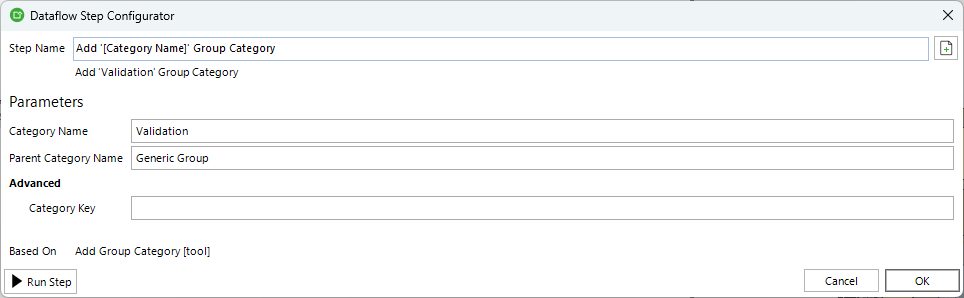
First, I create a validation group category to keep my groups clean and tidy. We can create new group categories with the “Add Group Category” dataflow step.
-
The next step is the actual step to generate the rule-based group. For this, I'll use the “Add or Modify Group” dataflow step.
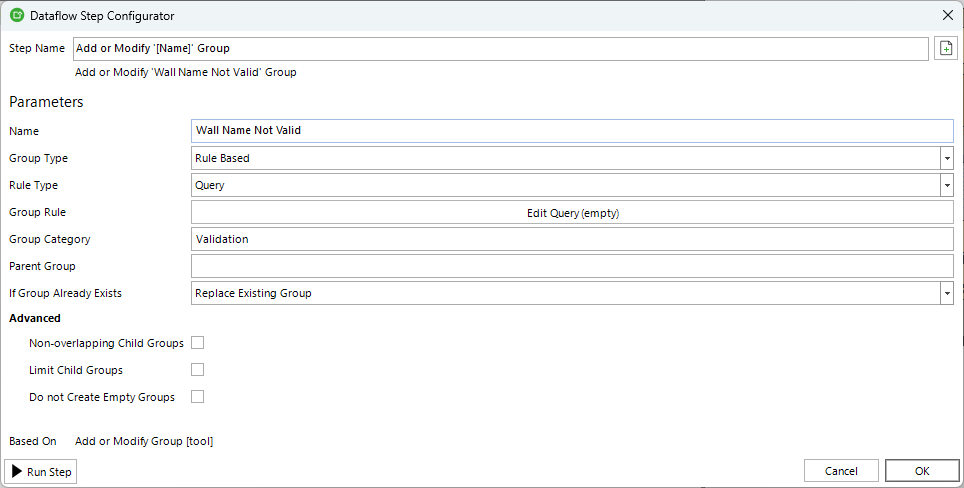
Here we define the rule so that it groups the objects with invalid values:
The object must belong to the ‘Wall’ object class
AND
The ‘Name’ property value must not start with a list of values (EXT and INT)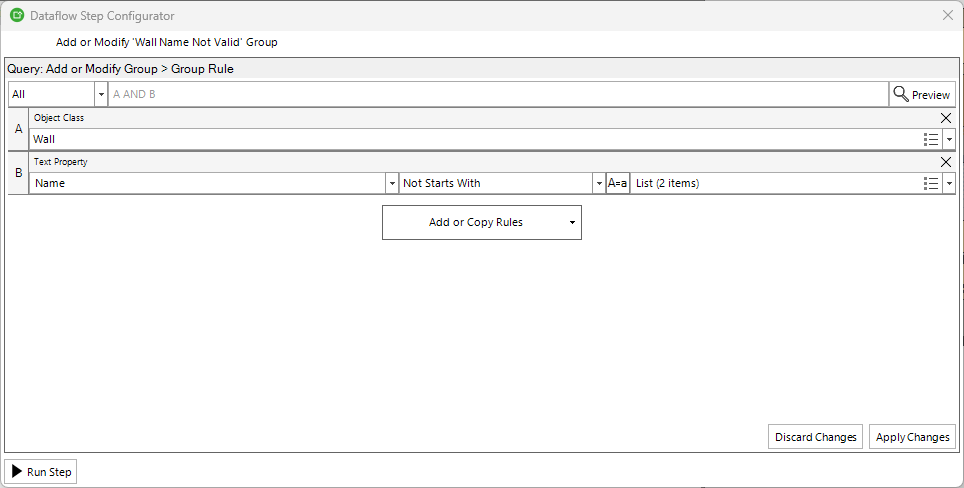
-
And that's it! Now we can test how this works by running the dataflow.
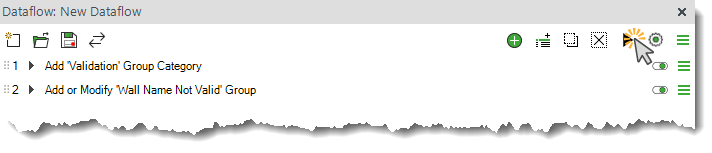
-
As a result, we got 29 objects that failed the validation. These are the objects that need fixing.

-
If we select all the objects in that group, we can clearly see that the ‘Name’ property value of these objects is not valid. Because the group is rule-based, it's dynamic, which means that if we edit the property values in Simplebim, the content of that group will update dynamically.

-
If we need to report the objects that fail the validation as a simple list, we can use the “Save Selected GUIDs to File” dataflow step to create a .txt file containing a list of GUIDs of the objects in the validation group.
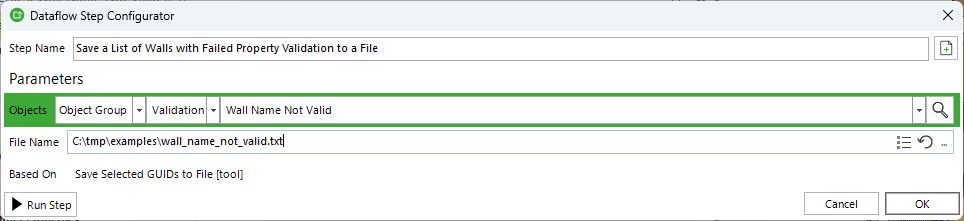
-
This is how the full dataflow looks. Nothing too complicated.
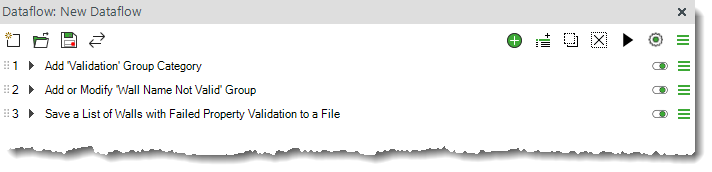
-
This is how the .txt file looks. A 29-item list of GUIDs that we could use for some downstream use case.
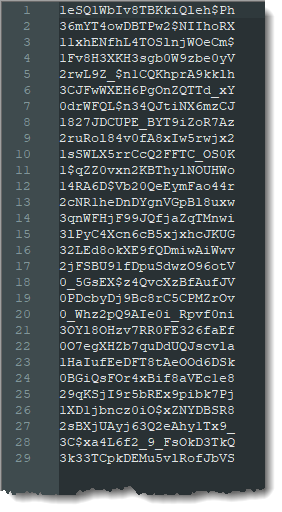
You can download the sample dataflow from here. If you try it, remember to set the file path for the last step: https://datacubist-my.sharepoint.com/:u:/p/gio_siradze/IQCHltry7PqhQpnaxglWEY6vAeWwZxsS8Rlq1XR4ieLmg4E?e=cHKclJ
Bonus: Validating property value format with a regular expression
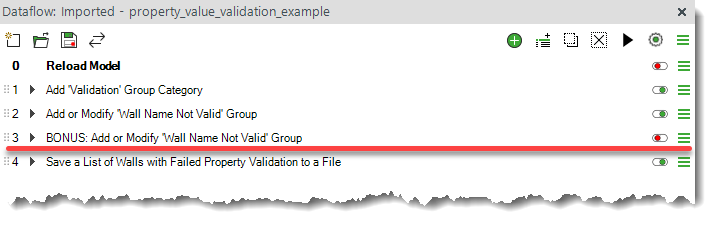
As an added little bonus to the dataflow, I added a grouping rule example for validating the format of a property value by using a regular expression with the “Not Match” operator. In this example, the regular expression that I'm using is: (EXT|INT) \d+$, and here is how it works:
Matches either “EXT” or “INT”, followed by a space and one or more digits, and ensures the string ends after those digits.
-
(EXT|INT)→ matches “EXT” or “INT” - → a space
-
\d+→ one or more digits -
$→ end of the string
Valid: EXT 123, INT 45
Not valid: EXT123, INT ABC, EXT 123A
Comments
0 comments
Please sign in to leave a comment.