Calculating apples Featured

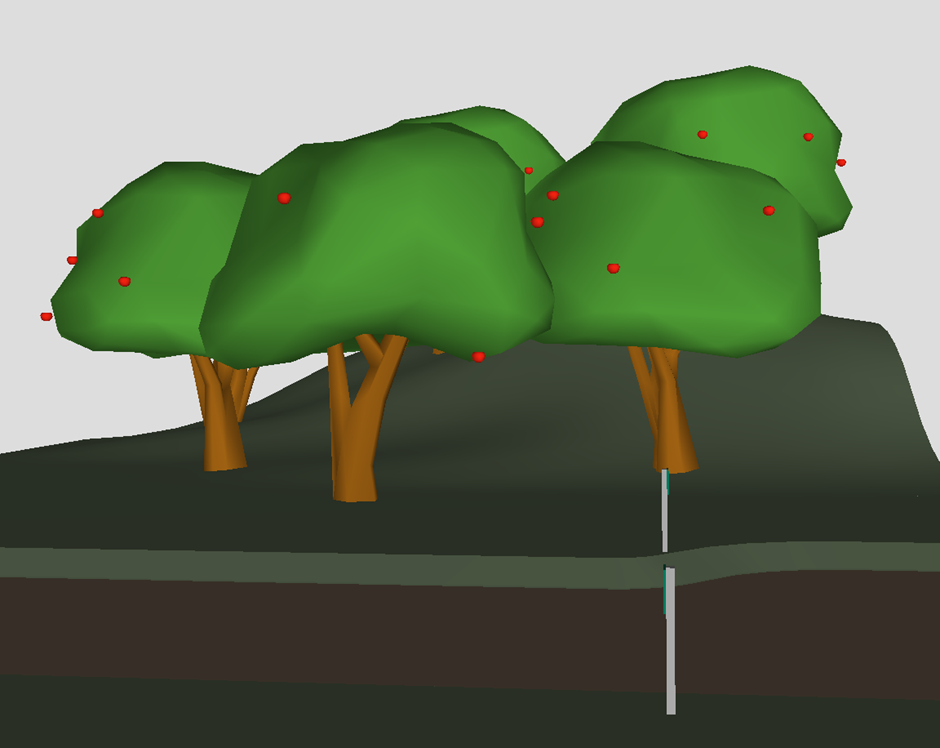
Some of you might remember a short video demo I posted on LinkedIn a long time ago using this same model. In that demo I used Simplebim 10 and a template to pull this off. Well, it's about time I revisited it using Simplebim 11 and dataflow!
BIM models are usually full of concrete, steel, and MEP systems. But today I'm doing something a little different. I'm going to take an IFC model full of apple trees, figure out how many apples each tree has, weigh them, and then calculate how much cider we could make from each tree. Because why not? Let's get into it.
If you want to follow along, you can find the download links for the IFC model and the dataflow file at the end of the post.
Let's plan this!
First, let's think through what we actually need to pull this off:
- Two target groups: Apple Trees and Apples
- Custom identity property: A unique Tree ID per tree
- Proximity based grouping: IFC groups linking each tree to its apples
- Quantity properties: Apple volume and weight per apple
- Aggregated properties: Total apple count, total weight, and cider yield per tree
Turns out making cider estimates from a BIM model requires a surprisingly reasonable amount of steps. Let's go.
Dataflow section 1: Create targets
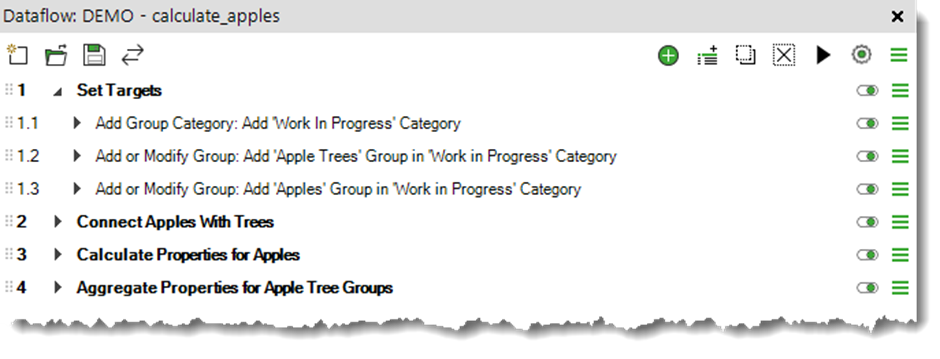
First things first. Set up the two target groups that the whole dataflow will revolve around. Create a target group called Apple Trees targeting the tree objects in the model, and a target group called Apples targeting the apple objects in the model. I’m using a simple query to find the trees and apples based on the name of the object.
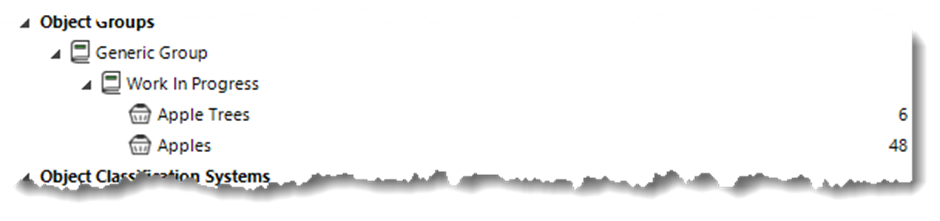
Simple enough. Apple Trees and Apples. We're off to a great start.
Dataflow section 2: Generate a Tree ID and proximity based connection
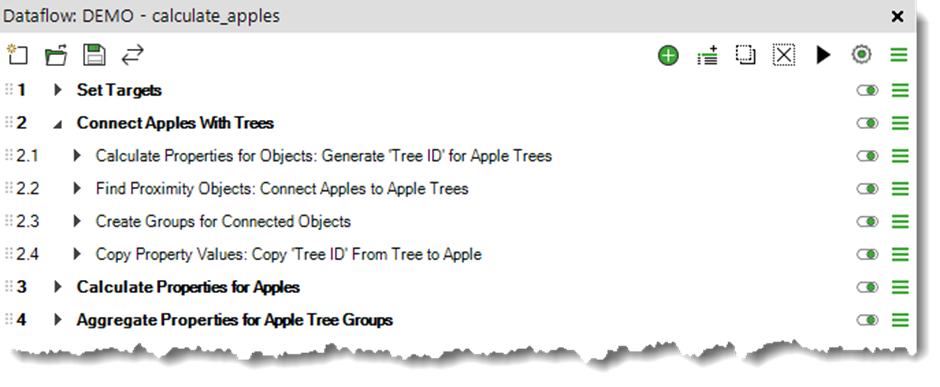
Now let's give each tree its own identity. Create a custom property called Tree ID by concatenating the tree's existing name and its unique tag. I’m using Calculate Properties for Objects tool for flexibility.
This gives every tree a distinct, readable identifier that we'll use to name the IFC groups and to keep track of which apples belong to which tree.
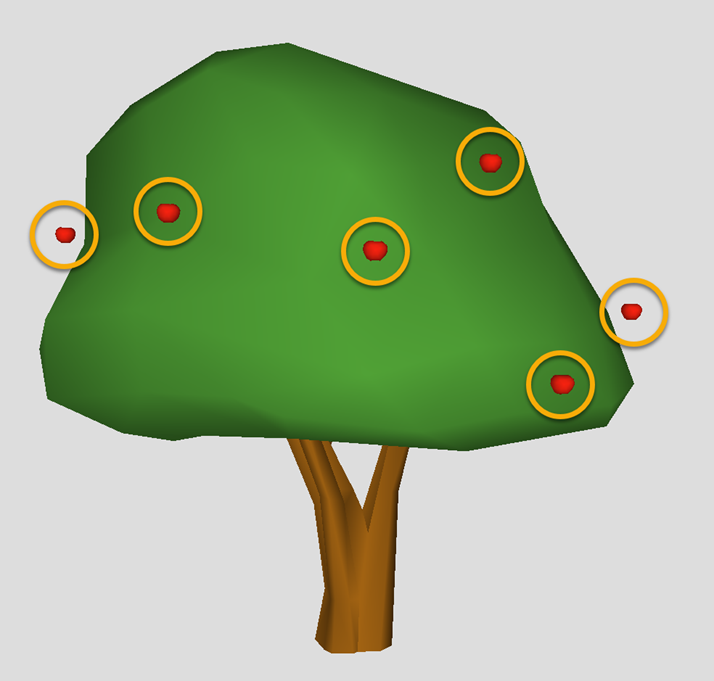
Here's where it gets interesting. Use the Find Proximity Objects tool to find the apples that fall within the proximity of each tree. Simplebim will figure out which apples are hanging around which tree and create a proximity based connection between them. This is the secret sauce that makes the grouping possible.
Using those proximity connections, use the Create Groups for Connected Objects tool to group each tree together with its apples into a group named after the Tree ID generated earlier. You'll end up with one neatly named group per tree, each containing the tree and all the apples that belong to it. A tree. Its apples. One happy group. Beautiful.
I’ll also stamp the Tree ID onto the individual apple objects using Copy Property Values tool, so every apple knows which tree it came from. This makes filtering and verification a lot easier down the line, and honestly it's just a nice thing to do for the apples.
Dataflow section 3: Calculate the volumes and weights for the apples
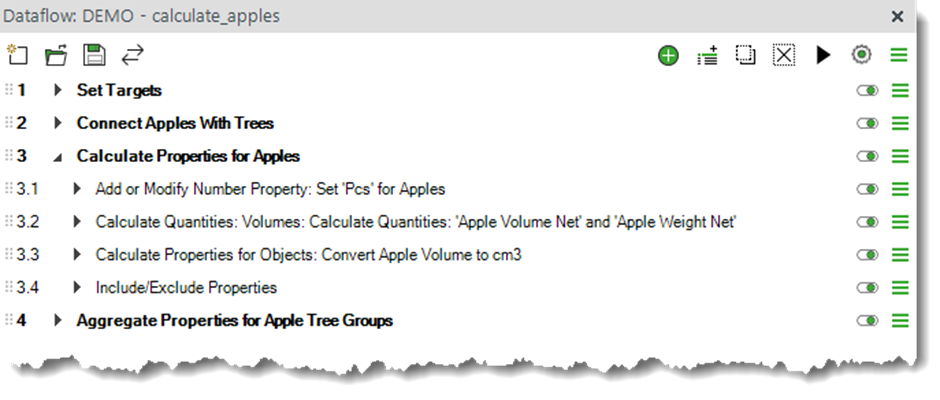
Now for the maths. Let's figure out the volume and weight of each individual apple.
First, I'll set a property named Pcs with a value of 1 for each apple. This makes the summing easier later. Then I'll use the Calculate Quantities: Volumes tool to calculate the volume of each apple object, using an estimated density of 700 kg/m³ to calculate the weight at the same time. Finally, I'll convert the volume from m³ to cm³, store it as a property, and get rid of the property containing m³, because nobody wants to describe an apple in cubic metres.
We now have a weight for every single apple in the model. This is genuinely not something most BIM workflows can say.
Dataflow section 4: Aggregate apple count and weight per tree group
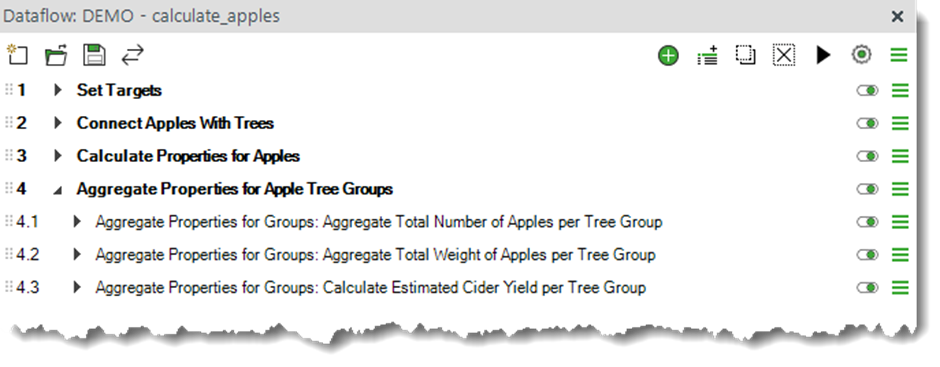
Time to roll everything up to the tree group level. This is where the IFC groups from the previous section really earn their keep.
I’ll use a sum type of aggregation across all tree groups to calculate the Total Apple Count (pcs) per tree, and another sum aggregation to calculate the Total Net Weight of Apples (kg) per tree group.
Each tree group now knows exactly how many apples it has and how much they all weigh together. Your structural engineer has never been so jealous.
The moment we've all been waiting for. To calculate the estimated cider yield of each tree I'll use a sum type of aggregation with this formula:
Estimated Cider Yield (litres) = ROUND([Apple Weight Net{kg}] × 0.55 / 1.04, 2)This uses a 55% juice extraction rate and divides by apple juice's density of 1.04 kg/L to convert from weight to volume. The result is the estimated cider yield in litres, rounded to two decimal places, written directly to each IFC tree group.
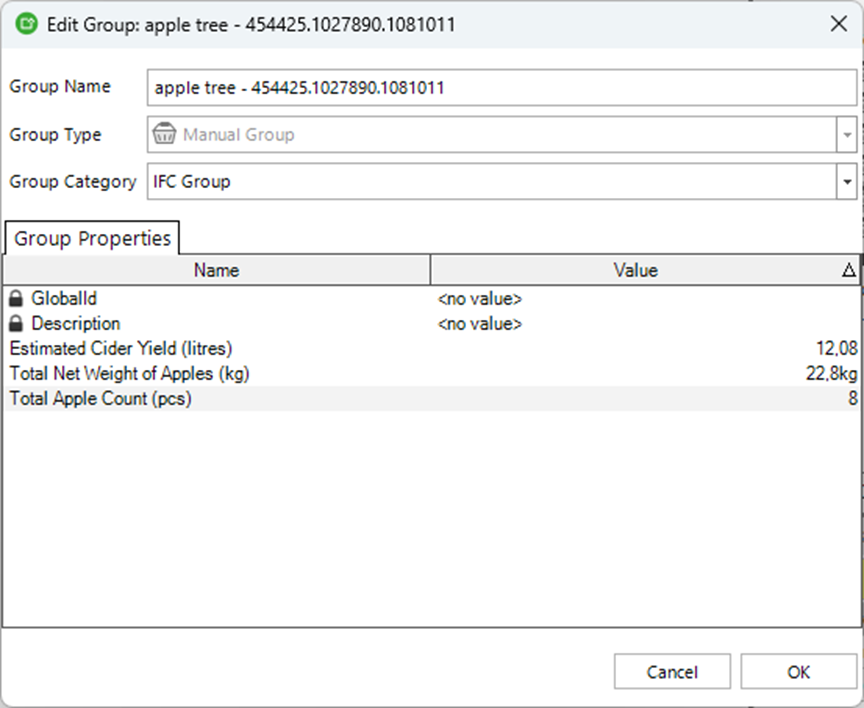
Congratulations. You just turned a BIM model into a cider production estimate. Fair warning though: the apples in this model are extraordinarily large, so the yields are more fantasy than forecast.
Result
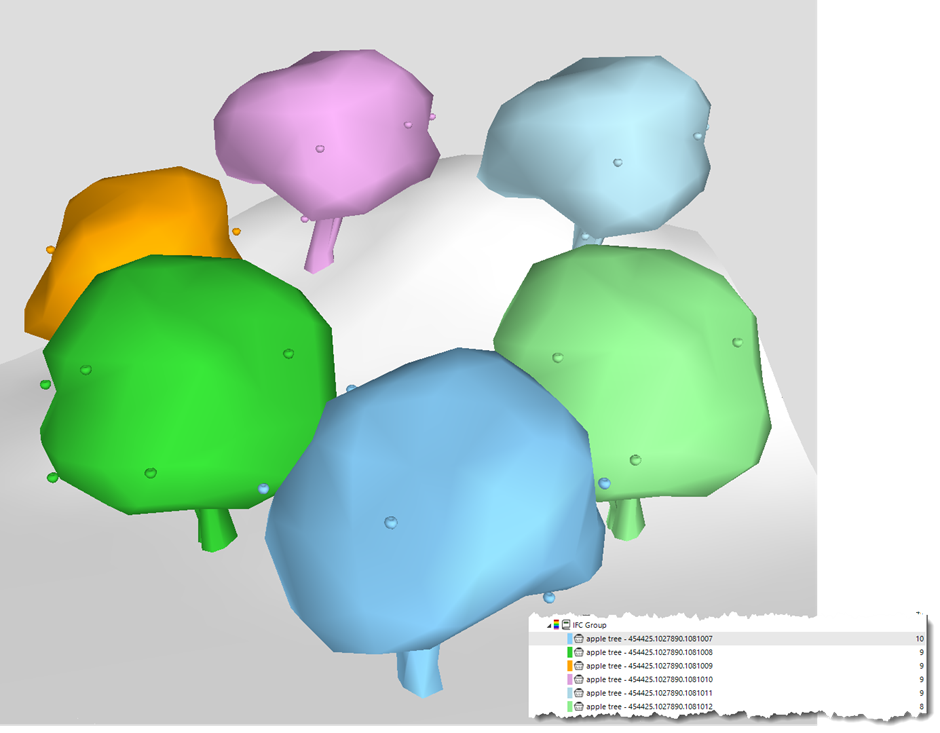
Each IFC group in the model now represents an individual apple tree and carries the following properties:
Name – Tree ID, the unique identifier for the tree
Total Apple Count (pcs) – Total number of apples on the tree
Total Net Weight of Apples (kg) – Total weight of all apples on the tree
Estimated Cider Yield (litres) – Estimated cider yield in litres
This is obviously a bit of a silly example, but it actually demonstrates something genuinely powerful about Simplebim. You can connect objects based on proximity, enrich them with calculated properties, and aggregate meaningful data up to the group level. If you can do it with apple trees, you can do it with just about anything in a real BIM model.
Now go check if you have enough apples for a decent batch.
You can download the sample IFC 4X3 model I used (Infra-Landscaping.ifc) from the buildingSMART International GitHub repository: https://github.com/buildingSMART/Sample-Test-Files/tree/main/IFC%204.3.2.0%20(IFC4X3_ADD2)/PCERT-Sample-Scene
And here is the dataflow file that you can import to Simplebim to try it out: https://datacubist-my.sharepoint.com/:u:/p/gio_siradze/IQCFvfYe5VkZRYUtuK8HK0aVAa3jD5eObz9Jnnw9FiEegKI?e=QFZlZ7
Comments
4 comments
Haha, this is an amazing and inspiring use of Dataflows! Thanks Gio!
And you could easily continue enriching from here. Using the information Gio already has in the model, you could further enrich the model with work tasks and estimates, like how much time and work it would take to collect the apples. Create information for ‘production’ planning and scheduling. Use the enriched information to plan for equipment needs and their cost. Surely you would need a crane of some sort to collect these mega-apples high up from the tree. Plan for the logistics. Renting a wheelbarrow might not be enough. And finally, to keep the cider flowing year after year, you would need to create tasks for maintenance and estimate the work and cost for that…
…and if you are still using Simplebim 10 you can for comparison check out the older “Let's count apples” video from Gio. Maybe this will convince you to move to Simplebim 11 and dataflows, where accomplishing the same is so much simpler to do and easier to understand!
I love this sort of example – it’s so clear, and people can take ideas from it for their own spaces.
Well done, I love it!!
…yes, you can easily adjust this example also for calculating oranges :-)
Please sign in to leave a comment.